CPU vs GPU: Understanding the Differences and Performance
 Liutauras Morkaitis
CPU (Central Processing Unit) and GPU (Graphics Processing Unit) play crucial roles in computing systems, but initially, they are designed for different purposes. If you constantly mix up these terms or haven’t heard of them before, this blog post is dedicated to you.
After reading this article, you should have a clear understanding of the difference between CPU and GPU, their functions, and the performance advantages each brings to the table.
CPU meaning and its main functions
CPU (Central Processing Unit) is the primary processing unit of a computer. It’s often considered the “brain” of the computer because the CPU handles a variety of tasks required to run programs and execute operations. It’s responsible for interpreting and processing instructions from software, as well as performing necessary calculations for the device to work.
The Central Processing Unit works in a sequential manner, executing one or a few instructions at a time. This approach allows the CPU to handle general-purpose computing tasks effectively but can become a bottleneck when there’s a demand for massive parallel processing.
GPU meaning and its advantages
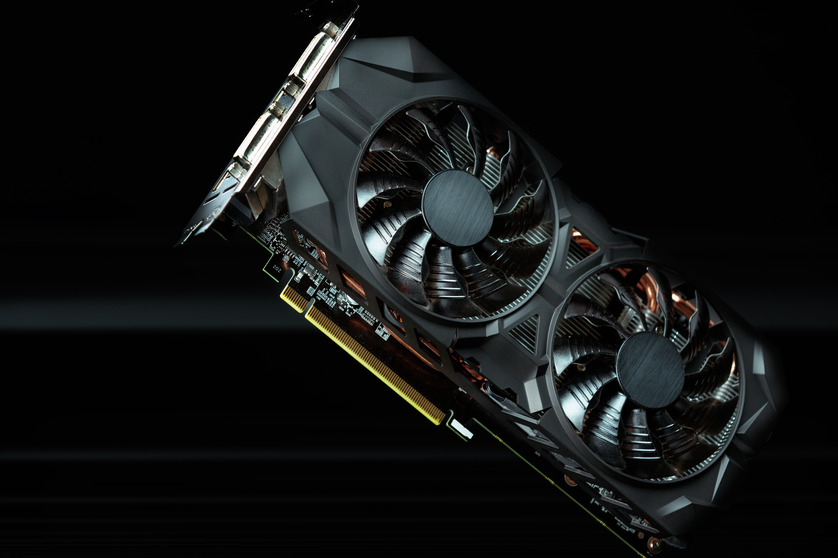
The GPU meaning is a bit different compared to the CPU. It was originally designed to handle graphical rendering tasks, but now GPU is considered more than that. It specializes in repetitive and highly parallel tasks, making it specifically useful for applications requiring massive computational power. Initially, GPU was built for rendering images and videos but now, it has evolved to play a significant role in AI, machine learning, and scientific computing fields. One of the GPU advantages is also high efficiency in rendering graphics, especially in 3D rendering and gaming.
Key differences between CPUs and GPUs
While both CPUs and GPUs are essential for computing, they differ significantly in terms of architecture and functionality. We listed the key differences between CPU and GPU in this table:
| CPU (Central Processing Unit) | GPU (Graphics Processing Unit) | |
| Core architecture | – Fewer cores (typically between 2 to 64) – Each core is powerful and capable of executing complex tasks | – Contains thousands of smaller cores that are specialized for executing many simpler tasks simultaneously |
| Processing power | – Designed to handle a wide range of tasks – Built to handle one or a few tasks at a time efficiently | – Specialized for tasks that require processing large amounts of data at the same time – Excels at repetitive tasks |
| Task specialization | – Handles jobs that require quick decision-making and a wide variety of operations, such as running operating systems and executing applications | – Best for tasks like 3D rendering, video editing, and simulations, where many similar calculations need to be done simultaneously |
| Latency vs throughput | – Low latency. Ideal for tasks that need immediate execution and interaction, like user commands or system management | – High throughput. Ideal for processing massive amounts of data in parallel, such as rendering high-resolution graphics or training AI models |
Why are GPUs faster than CPUs?
The main reason GPUs are faster than CPUs for specific tasks lies in their ability to process many jobs at the same time. While a CPU can process a few highly complex tasks simultaneously, a GPU processes thousands of simpler tasks at once. It’s especially important for:
- Graphics rendering. When rendering an image, especially 3D models, the GPU can calculate many elements (shapes, textures, lighting) in parallel, making it much faster than a CPU, which would process each calculation sequentially.
- Machine learning. Training machine learning models involves manipulating vast amounts of data. GPUs can perform these tasks faster because, as mentioned above, they are optimized for parallel workloads.
These are just a few examples of where GPU advantages can be used. However, it doesn’t mean the GPU is better than the CPU. While a CPU vs GPU debate may seem to favor the GPU’s ability to handle vast amounts of jobs simultaneously, the CPU is usually praised for general-purpose computing and more challenging tasks.
CPU vs GPU performance: a comparison
When thinking of GPU vs CPU performance comparison, the best way is to take a few popular use cases and analyze them:
- General computing tasks. When performing tasks like browsing the web or running office software, the CPU shines. It can execute instructions quickly and is capable of handling multiple tasks in sequence. The GPU isn’t needed here, as these tasks don’t require the massive parallel power that GPUs provide.
- Gaming. Graphics are the primary focus in the gaming industry. While the CPU controls game logic, the GPU is responsible for rendering the complex graphics. High-end GPUs deliver a smoother, faster gaming experience, handling the graphical load that would overwhelm a CPU.
- AI and Machine Learning. A CPU will take a long time to process large datasets for applications like deep learning, whereas a GPU handles these jobs more efficiently. Modern AI frameworks are designed to utilize GPUs, making them the preferred option for training models.
CPUs or GPUs: which one to choose?
Even if the performance and advantages can be compared between the two, it’s not a matter of choosing one over the other. GPUs and CPUs are designed for different purposes, and they usually complement each other. For example, every server or cloud instance requires a CPU as its primary processor. In addition, some servers are equipped with GPUs as additional co-processors. As previously mentioned, certain workloads, such as AI and machine learning tasks or graphics rendering benefit significantly from the capabilities of GPUs.
Heterogeneous Computing and CPU–GPU Cooperation
Modern systems increasingly rely on heterogeneous computing, where CPUs and GPUs are used together to handle different parts of the workload efficiently. CPUs coordinate control flow, memory management, and system tasks, while GPUs accelerate data-parallel operations where the same computation is applied to many data elements simultaneously. For example, in deep learning workflows, the CPU prepares and batches data, schedules tasks, and manages I/O, while the GPU performs the heavy matrix multiplications and tensor operations that dominate training time. Understanding how to partition work between the two, and why GPUs can drastically speed up parallel math, is critical in high-performance computing.
SIMT and Parallel Execution on GPUs
Unlike CPUs, which typically follow a classical fetch–decode–execute pipeline with a few powerful cores, GPUs implement a Single Instruction, Multiple Threads (SIMT) execution model. This allows one instruction to be broadcast to thousands of parallel processing units that execute it simultaneously.
This architectural choice makes GPUs exceptionally efficient for tasks like:
- Matrix and vector math (core of ML and scientific simulations)
- Image and video processing
- Physics and raster graphics pipelines
However, SIMT also means that workloads with a lot of divergent branching (different threads needing different control paths) can significantly underutilize GPU resources compared to well-aligned parallel workloads.
Memory Architecture: Cache, VRAM, and Bandwidth Considerations
CPU and GPU memory systems differ fundamentally:
- CPU systems typically have large multi-level caches (L1, L2, L3) and fast access to system RAM, optimized for low-latency, unpredictable access patterns.
- GPU memory (VRAM) is optimized for high bandwidth and large data transfers, allowing thousands of cores to access data quickly in parallel—essential for graphics and bulk math.
A key performance limiter in both CPUs and GPUs is memory bandwidth, the rate at which data can be moved between memory and cores. GPUs often have far higher total memory bandwidth than CPUs, which is one reason they outperform CPUs for data-intensive parallel tasks. Additionally, thermal design power (TDP) plays a role: high-end GPUs can generate significant heat due to their power and parallel throughput, requiring robust cooling solutions.
When to Prefer a CPU Backed by Numbers and Workloads
CPUs remain indispensable because they excel at:
- Sequential or branching logic — decisions, operating system control, and complex code flows
- Low-latency tasks — where individual instructions depend on recent results
- General multitasking workloads — managing many applications with diverse access patterns
There’s also a hierarchy: consumer CPUs vary widely in core count, cache sizes, and instruction set enhancements (e.g., Intel AVX, ARM NEON), but all prioritize latency and control complexity over sheer data throughput.
Why GPUs Dominate Parallel and AI/ML Workloads
GPUs outperform CPUs in workloads with massive data parallelism, examples include:
- Graphics rendering
- Neural network training
- Cryptographic hashing
- Scientific simulations and large matrix operations
GPUs contain hundreds to thousands of simpler computational cores, each capable of running the same instruction on different data simultaneously. This design multiplies throughput for tasks that can be parallelized.
Energy Efficiency and Cost Trade-Offs
In many high-performance settings, performance per watt becomes critical. CPUs generally use complex cores that are power-efficient for general computation. GPUs, with more cores and higher total power draw, deliver more operations per second on parallel workloads, but at the cost of higher energy consumption and heat. In data centers or AI training clusters, the energy cost of GPUs is often justified by the dramatic speedups they provide. This balance between throughput and operational cost is a key part of system architecture decisions in enterprise computing.
Conclusion
In summary, both CPUs and GPUs are vital components of modern computing systems, but their roles are different. CPUs excel at handling general-purpose jobs and managing complex, sequential instructions, while the GPU is optimized for parallel processing, making it faster and perfect for handling a vast amount of repetitive tasks.
Every server or cloud instance relies on a CPU as its primary processor. However, if you’re choosing a server, you may want to check whether it includes GPUs as additional co-processors. For tasks such as machine learning, graphics rendering, or similar computationally intensive operations, powerful GPUs can significantly simplify your work.
Frequently asked questions
What is the meaning of CPU?
CPU stands for Central Processing Unit. It’s the primary processor in a computer or server responsible for executing instructions and managing tasks.
What does GPU stand for?
GPU, or Graphics Processing Unit, is a processor created to handle vast amounts of repetitive tasks, including rendering graphics, performing complex calculations, or accelerating data processing workloads.
Can a GPU replace a CPU in a computer?
No, GPUs cannot replace CPUs in computers. The CPU handles general-purpose tasks and manages the system, while the GPU specializes in parallel processing and specific workloads. They both work together to optimize the device’s performance.
What is SIMT and why does it matter for GPU performance?
SIMT (Single Instruction, Multiple Threads) lets one instruction operate across many parallel threads simultaneously — ideal for data-parallel workloads like matrix math. CPUs typically do not use SIMT, which is why GPUs are faster for such tasks.
Can a CPU replace a GPU in deep learning or AI training?
A CPU can functionally train models but will be orders of magnitude slower because GPUs are built for massive parallelism, high memory bandwidth, and throughput on matrix operations.
Why do GPUs require VRAM instead of using system RAM?
VRAM is high-bandwidth memory colocated with the GPU to feed thousands of cores simultaneously. System RAM is optimized for lower-latency, general-purpose access by CPUs.
Are there architectures that blur the line between CPU and GPU?
Yes, heterogeneous processors and integrated architectures (like those targeting AI workloads or unified shader models) combine aspects of both. These systems handle both control logic and parallel math more evenly.
Does clock speed matter equally on CPU and GPU?
Not exactly. CPU performance is more closely tied to higher clock speeds for single-threaded tasks, while GPU performance relies more on the number of cores and parallel throughput than raw clock speed alone.
References
- GeeksforGeeks – Difference Between CPU and GPU, including architecture and performance.
https://www.geeksforgeeks.org/computer-organization-architecture/difference-between-cpu-and-gpu/ - TecAdmin – CPU vs GPU: Key Differences in architecture, task handling, and memory.
https://tecadmin.net/cpu-vs-gpu-key-differences/ - DataCamp – CPU vs GPU: How they work and when to use them.
https://www.datacamp.com/blog/cpu-vs-gpu - Micro Center – CPU vs GPU: Core differences and when each matters.
https://www.microcenter.com/site/mc-news/article/cpu-vs-gpu.aspx - L-P Resources – CPU vs GPU: Key differences and performance insights.
https://resources.l-p.com/knowledge-center/key-differences-between-cpu-and-gpu - Wikipedia – Heterogeneous computing and its relevance to CPU–GPU cooperation.
https://en.wikipedia.org/wiki/Heterogeneous_computing - Wikipedia – Thermal Design Power (TDP) for CPUs and GPUs.
https://en.wikipedia.org/wiki/Thermal_design_power - Wikipedia – Single Instruction, Multiple Threads (SIMT) execution model.
https://en.wikipedia.org/wiki/Single_instruction%2C_multiple_threads - Wikipedia – Unified shader model in GPU architectures.
https://en.wikipedia.org/wiki/Unified_shader_model - Research: Integrated CPU–GPU processors and thermal/power management implications (arXiv).
https://arxiv.org/abs/1808.09651